

See What You’d Look Like with Braces
Upload a smiling photo and try the braces filter: metal, ceramic or colored bands. Only your teeth change — your smile, face and photo stay the same.
For best results, upload a photo where your teeth are visible.
This is a visual preview only and is not an orthodontic treatment simulation or dental prediction.
Photos are processed privately and deleted automatically.
Braces Filter Examples: Before and After
Examples show real results from this tool on AI-generated portraits.
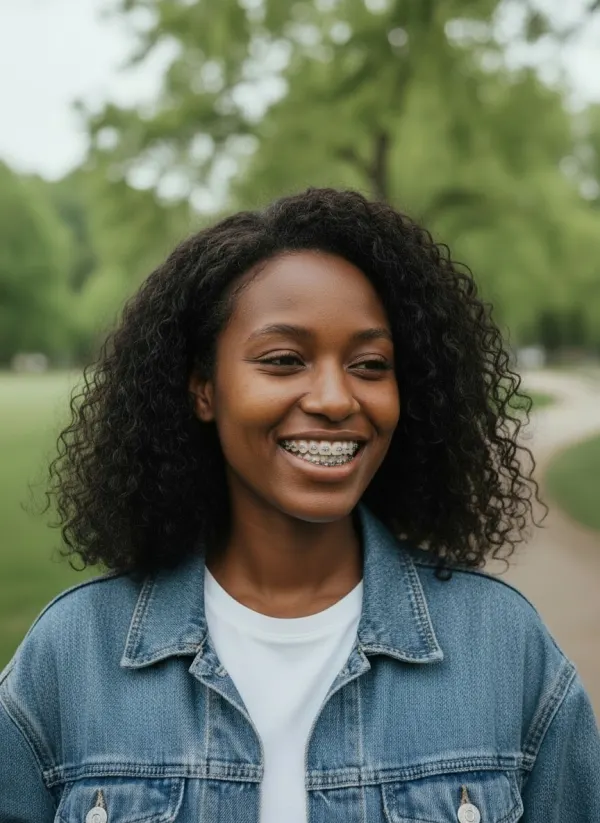
 BeforeAfter
 BeforeAfter
 BeforeAfter
Try Braces on Your Smile Online
Getting braces is a big decision, and it is natural to wonder how they will look in photos, at work or on camera. This braces try-on adds brackets and a wire to the teeth in your own photo, so you see the effect on your smile instead of guessing from stock pictures. Your lips, expression and the rest of the photo stay as they were.
Metal Braces
Classic stainless-steel brackets and a silver wire — the most visible option.
Ceramic Braces
Tooth-colored brackets that blend into your smile at a distance.
Blue Bands
Metal brackets with blue elastics for a bolder, playful smile.
Pink Bands
Metal brackets with pink elastics — popular for teens and photos.
Gold Braces
Gold-tone brackets for a warm, statement look.
What Would I Look Like with Braces?
The honest answer depends on your teeth, your smile and the style you choose. Metal braces are the most noticeable; ceramic ones blend in from a few steps away, though the wire and ties still show up close. Seeing both on your own photo, side by side, is the quickest way to feel the difference — and a good conversation starter for your orthodontist.
Not smiling in your photo? Give it an open smile first with the AI smile filter, then try the braces.
How the Braces Filter Works
- 01
Upload a Photo with Visible Teeth
A clear, front-facing smile where your front teeth show works best.
- 02
Choose a Braces Style
Metal, ceramic, gold, or metal with blue or pink bands.
- 03
Generate Your Preview
Brackets are placed on each visible tooth, with a wire that follows your smile.
- 04
Compare and Download
Slide between before and after, then save or share your preview.
When People Try On Braces
Decide Between Metal and Ceramic
See both styles on your own teeth before your consultation.
Pick Your Band Colors
Try elastic colors before your next adjustment.
Get Comfortable with the Look
Preview how braces will look in selfies and video calls, privately.
Tips for a Better Braces Preview
- Smile so your front teeth are clearly visible.
- Face the camera; side angles hide most of the teeth.
- Even light on your face makes brackets look realistic.
- Skip blurry or heavily filtered photos — fine detail matters on teeth.
Braces Preview vs. Orthodontic Treatment Simulation
This braces simulator shows what wearing braces looks like on your current teeth. It does not move, straighten or reshape any tooth, and it cannot show the result of treatment. Orthodontists use dedicated scans and planning software for that. Treat the preview as a way to picture the look — not as dental advice or a prediction.
Related Tools
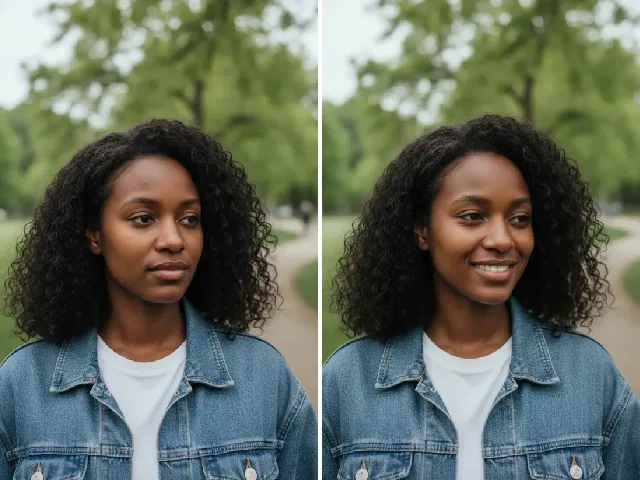 BeforeAfter
AI Smile Filter
Open up a closed-mouth photo into a natural smile before trying braces.
Try it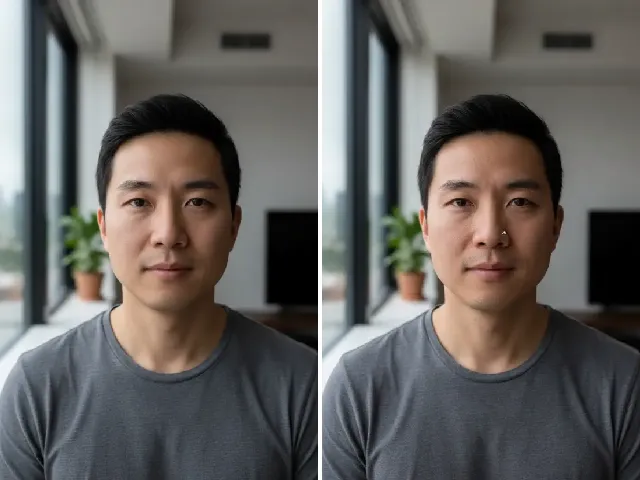 BeforeAfter
Piercing Filter
Another try-on for your face: nose, lip, eyebrow or ear piercings.
Try it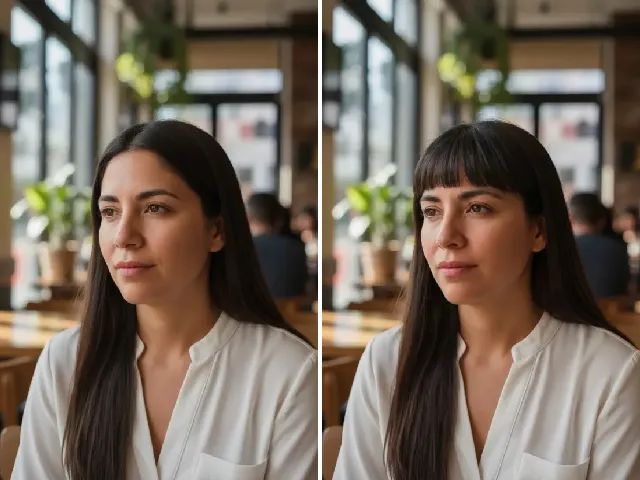 BeforeAfter
Bangs Filter
Pair your braces preview with a fresh fringe.
Try it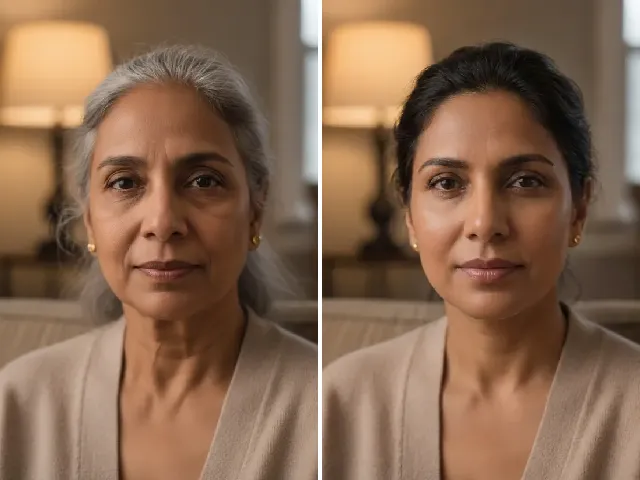 BeforeAfter
AI Age Progression
See your smile at a different age.
Try itFrequently Asked Questions
Is the braces filter free?
You can try it once a day without an account. A free account adds bonus credits; each result uses one credit.
What would I look like with braces?
Upload a smiling photo and pick a style — you will see brackets and a wire on your own teeth in seconds, with the rest of your face unchanged.
Can I try metal and ceramic braces?
Yes. Choose Metal for classic steel brackets or Ceramic for tooth-colored ones, and compare them side by side.
Can I try colored bands?
Yes. Blue bands and Pink bands add colored elastics to metal brackets; Gold gives gold-tone brackets.
Do my teeth need to be visible?
Visible teeth give the best result. If they aren’t showing, the AI opens a natural smile so the braces can be seen, and you’ll get a notice about it.
Can this predict orthodontic treatment results?
No. It shows the look of wearing braces on your current teeth; it is not an orthodontic treatment simulation or a dental prediction.
Will the rest of my face stay the same?
Yes. Only the teeth change. Your lips, expression, features and background are preserved.
What happens to my photo?
It is processed privately to add the braces and deleted automatically — after 24 hours without an account, after 30 days with one. We never use photos to train AI.